Run more than one program
A second program lets you give different partners different terms: a creator program beside your affiliates, a referral program for customers, a program for agencies. It also changes a few things that worked on their own while you had one. This article lists them, so nothing surprises you.
The short version
- Partners you add are no longer enrolled for you. With one program, a partner you add by hand or import joins it. With two, you choose.
- Signup addresses grow a suffix. Each open program gets an address of its own, and the address an older program showed can change.
- Each program has its own terms: commission plans, attribution window and rules, signup form, portal screens and partner agreement.
- A partner can be in several programs, with a link and a code in each. What they earn is paid together.
- A sale is credited under one program, the one whose link, code or statement credited it. Your server must name the program when it names a partner who is in more than one.
In detail
Enrolment stops being automatic
While your workspace has exactly one program that is not archived, a partner you add by hand or import, already approved, joins that program and gets a tracking link and a discount code there. The moment a second program exists, Refficks stops choosing: joining a program decides what somebody is paid, and with two it would be a guess.
From then on, enrol each partner from the program's page:
- Go to Programs and open the program.
- In Partners in this program, type a name, company or email into Partner to add, and choose them from the list. People already in the program are not offered.
- Choose a Tier if the program has tiers.
- Press Add.
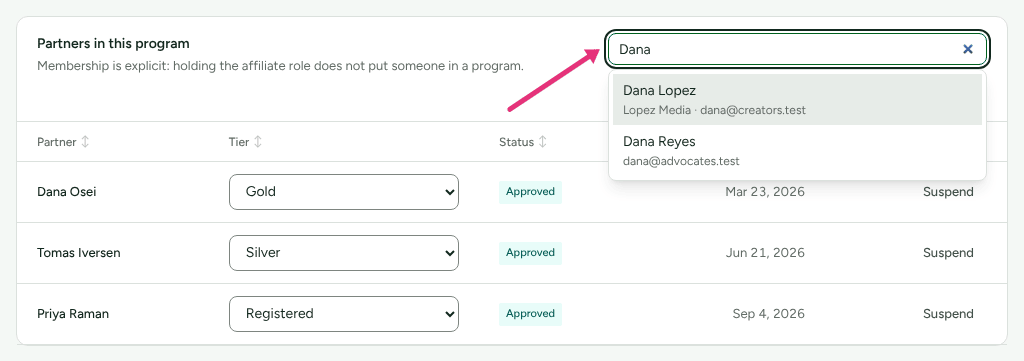
Only an approved partner can be added: "Approve this partner before adding them to a program." An archived program does not count, so archiving your second program brings automatic enrolment back.
Signup addresses
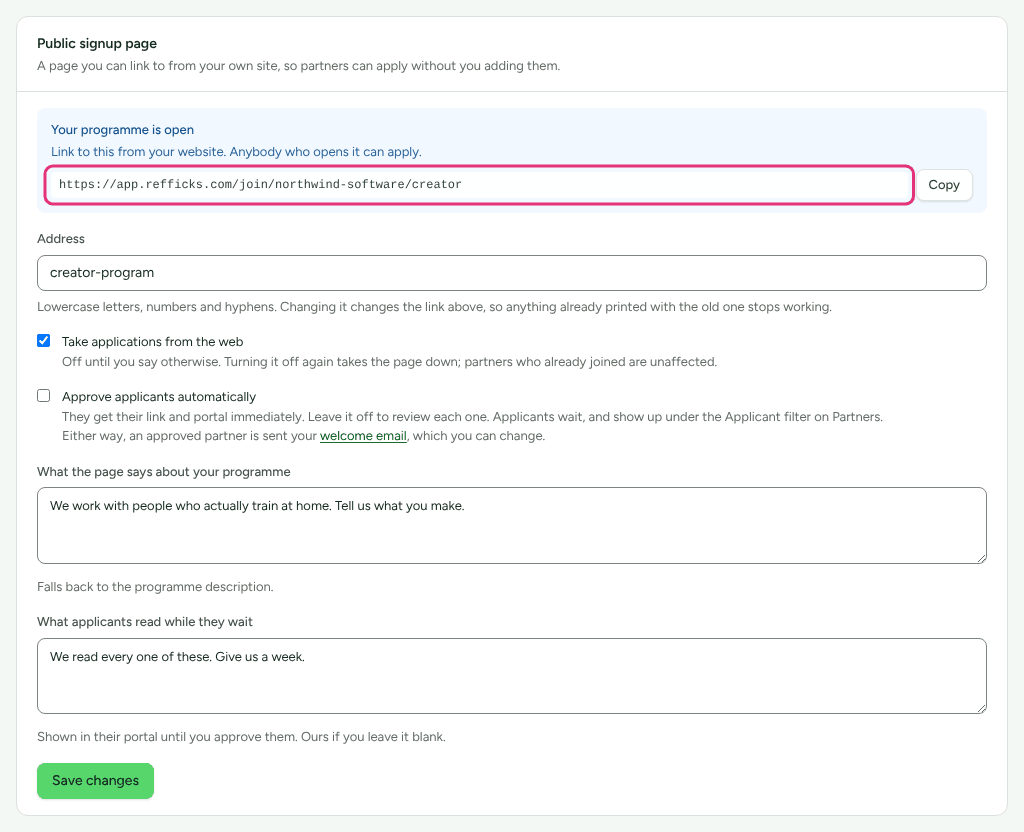
Each program has its own public signup page, opened under Public signup page on its own page. What address it shows depends on how many of your programs are Active and taking applications:
| Open programs | Address each one shows |
|---|---|
| One | Your workspace's address, with nothing added. |
| Two or more, of different kinds | The kind is added: …/creator, …/referral. |
| Two or more of the same kind | The program's own Address is added: …/p/<address>. |
So the day you open a second program, the first one's card can show a longer address than it did. The short address still works: it opens whichever open program is oldest, and the longer forms always work. Copy each program's address from its own card, and check any you have already put on your site.
The Bot check card is the exception: it covers every signup page your workspace has, whichever program you change it from.
What belongs to each program
Set separately on each program's page:
- Commission plans. A sale is paid by the plans of the program it was credited under. See How commission plans work.
- Attribution window and How this program decides (what happens when two partners touched the customer).
- How partners are paid (money, store credit or the partner's choice).
- Signup form, the words on the signup page, What partners see in the portal, and the Partner agreement.
- Tiers, and for a referral or B2B program its own setup cards.
Set once for the whole workspace: your branding and the five renamable words, Settings › Partners and payouts › Payout runs (including the payout minimum), the bot check, your domains, and your team.
Partners in several programs
A partner can belong to several of your programs, on different terms in each. They have one portal and one login, and:
- a link and a discount code of their own in each program; in the portal, each link is labelled with its program's name;
- the portal screens a program can leave out (Messages, Notices, Campaigns, Assets) are shown if any of their programs shows them;
- one partner agreement per program, which the portal asks them to accept one at a time;
- what they earn in every program is paid together: a payout run makes one payout per partner per currency (and per way of paying: money or store credit), not one per program.
Which program a sale counts under
Each touch Refficks records belongs to a program: a click on a partner's link belongs to the link's program, and a discount code belongs to the program it was made in. The commission is worked out with the plans of the program whose touch won.
When touches in two programs compete for one sale, the rules on How this program decides of the program with the most recent touch decide it. See How attribution works.
When your server names the partner in an event (attribution.partner_id),
it must also send attribution.program_id if that partner is in more than one
program. The body of POST https://go.refficks.com/api/v1/events, for example:
{
  "event_type": "order.created",
  "external_id": "order_1001",
  "customer": { "email": "sam@example.com" },
  "attribution": {
    "partner_id": "<PARTNER_ID>",
    "program_id": "<PROGRAM_ID>"
  },
  "properties": { "amount": 4900, "currency": "USD" }
}
Without it, Refficks does not guess. The event is recorded, the partner is not credited from it, and the reason is kept on the event: "that partner is in more than one programme, so name the one this belongs to". The sale can still be credited by a link click or a code it carries. See Send events from your server.
Crediting a sale by hand works the same way. If the partner is in more than one program, Refficks asks: "… is in more than one programme. Choose which one this sale counts under." See Credit or move a sale by hand.
Where to see it in Refficks
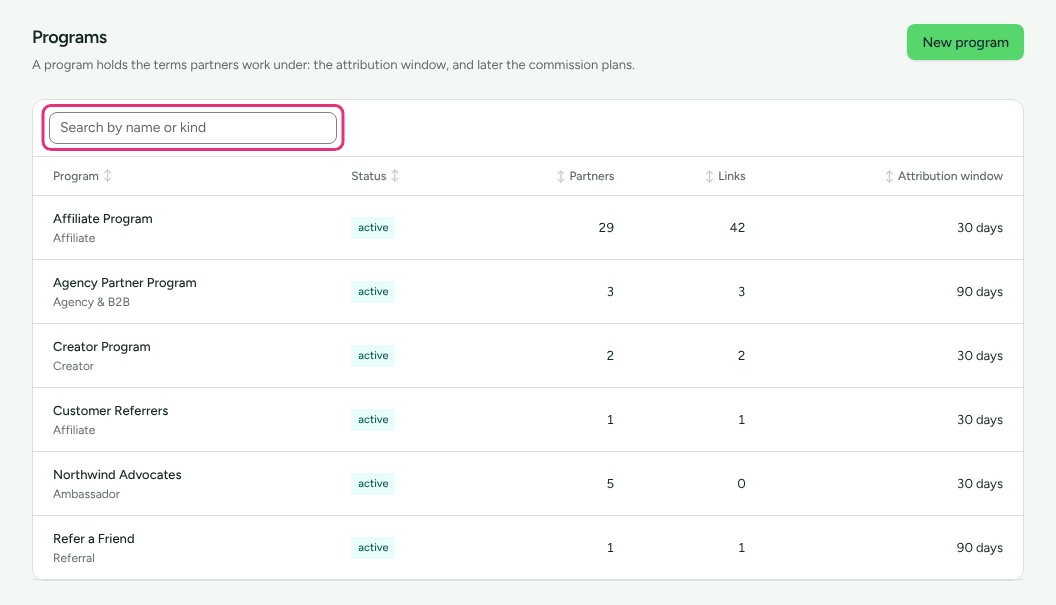
- Programs lists every program with its status, partners, links and window. Type in Search by name or kind to narrow it.
- A partner's links in their portal are labelled by program.
- Getting started › You have read your own partner terms opens the program list and asks you to choose one, since each program has its own agreement. Once that check is settled it is folded under Show the N settled in its group.
Settings that change it
| Setting | Where | Default | What it changes |
|---|---|---|---|
| Program status | A program's Settings card | Active | Only Active programs taking applications count towards signup addresses. Archived programs do not count towards automatic enrolment or a plan's program limit. |
| Take applications from the web | A program's Public signup page card | Off | Opening a second program changes which address each open program shows. |
| Address | A program's Public signup page card | Made from the program's name | The /p/<address> part. Changing it breaks anything already printed with the old one. |
Limits
- No partner is ever enrolled in a second program for you. Roles do not enrol anyone either: "Membership is explicit: holding the affiliate role does not put someone in a program."
- A program's Module is fixed when it is created.
- A plan limit, where one applies, counts programs that are not archived: "Your plan allows N programs." The trial and Alpha plans have no limit.
- A program created after you change the workspace's currency is in the new currency; older programs keep theirs. See Change your workspace's currency.
- Asset sharing still lists only the first hundred partners to tick.
Related
- Create a program: every field on a program.
- Invite partners: enrolling partners by hand.
- How attribution works: how one partner wins a sale.
- Send events from your server: naming the partner and the program.