Suspend, archive or end a partner's access
Refficks has three ways to stop a partner, and they stop different things. This article says what each one does to their links, codes, money and sign-in, and how to undo it. It is for merchants and program managers.
Before you start
- Role: Owner, Admin or Manager for all three. Analysts and Support see no buttons.
- Know this first: none of the three changes a commission already earned, and none deletes anything. Each can be undone.
Which one to use
| Suspend | Archive | End their access | |
|---|---|---|---|
| Where | A program's Partners in this program card | The top of the partner's page | The Partner portal card in the partner's Account section |
| Stops | Earning in that one program | Earning in every program, and their place in your lists | Their partner portal for your workspace |
| Their links | Still take visitors to your site; the partner earns nothing from them in that program | Still take visitors to your site; the partner earns nothing | Keep working and earning |
| Their discount code | A sale with it credits nobody in that program | A sale with it credits nobody | Keeps working and earning |
| Commission already earned | Not touched | Not touched; pending commission waits for a person to decide | Not touched |
| Approved commission | Still paid | Still paid | Still paid |
| Portal sign-in | Unchanged | Unchanged | Ended for your workspace |
| Emails the partner | No | No | Yes, "Portal access ended" |
| Undo | Reinstate | Unarchive | Give it back |
To stop everything, archive the partner and end their access.
Suspend a partner in one program
Use this when a partner should stop earning in one program and carry on in any others.
- Go to Programs and open the program.
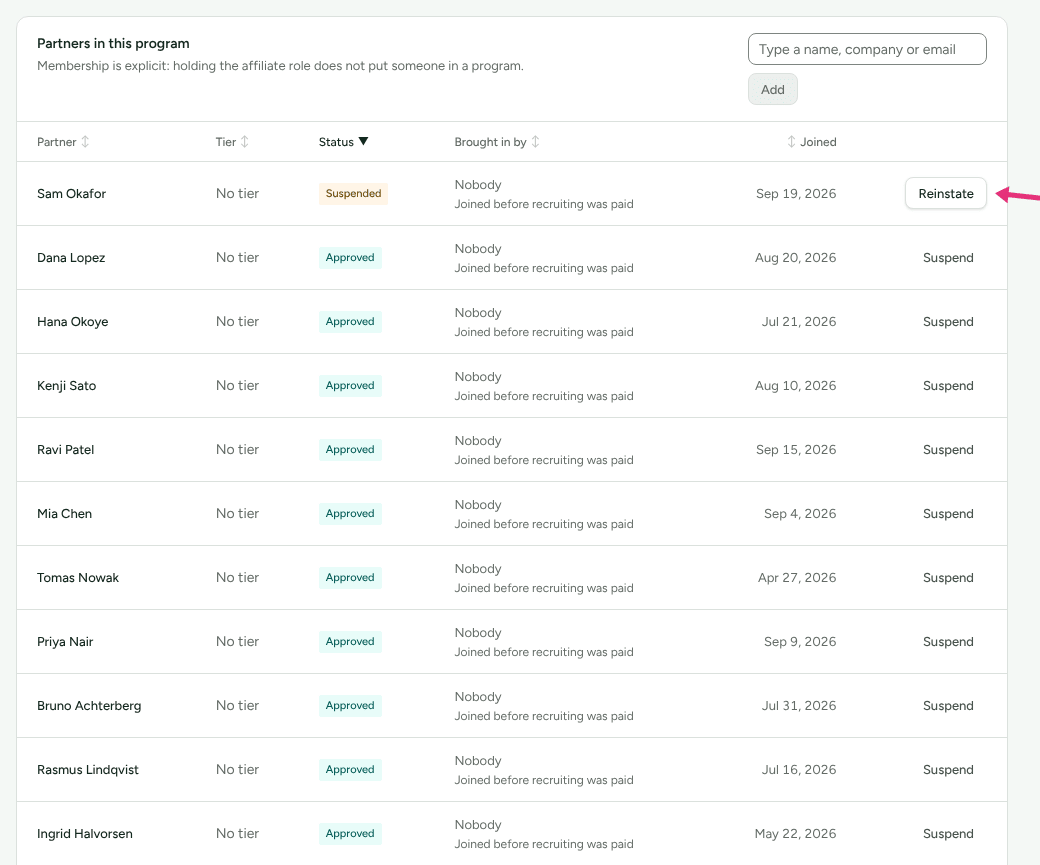
- In Partners in this program, find the partner and press Suspend on their row.
- Read the box, then press Suspend them (or Leave them running).
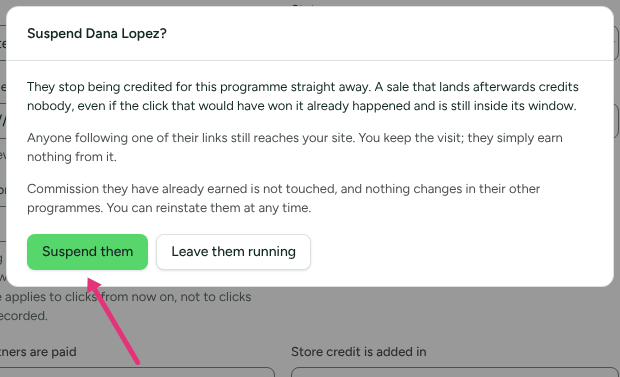
What the box says, and what it means:
- "They stop being credited for this programme straight away. A sale that lands afterwards credits nobody, even if the click that would have won it already happened and is still inside its window."
- "Anyone following one of their links still reaches your site. You keep the visit; they simply earn nothing from it."
- "Commission they have already earned is not touched, and nothing changes in their other programmes. You can reinstate them at any time."
Their row's status reads Suspended, and its button becomes Reinstate. Press Reinstate to let them earn again from that moment; sales in between stay credited to nobody.
Archive a partner
Use this when you no longer work with a partner at all.
- Open the partner's page.
- Press Archive, next to the stage buttons at the top. It is there whichever section is open. It takes effect at once; there is no confirmation.
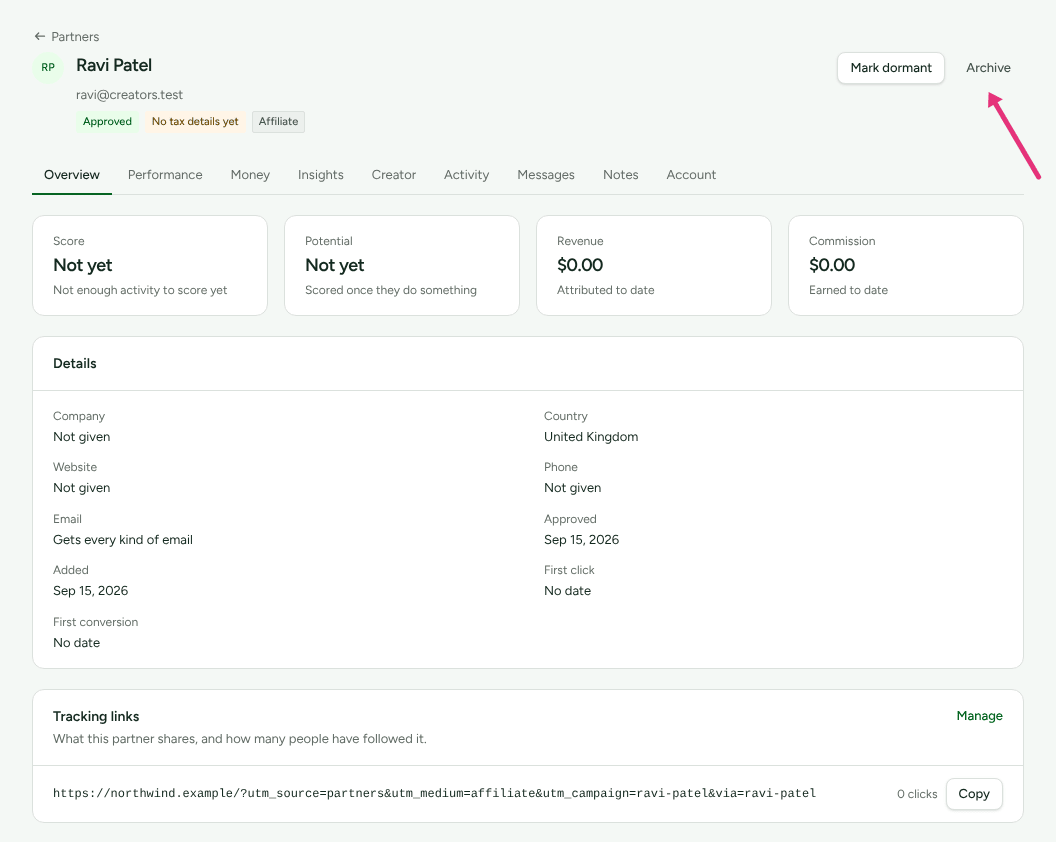
What archiving does:
- The page shows an Archived badge, and the partner leaves the Partners list. Choose Archived in its stage filter to find them.
- Their links and codes stop crediting them in every program. Visitors who follow a link still arrive; a sale credits nobody.
- In each program's Partners in this program, their status reads Archived and there is nothing to suspend or reinstate.
- Commission waiting for approval no longer approves itself: "The partner is archived, so it waits for someone to decide." Approve or reject it in Commissions, where typing their name into Search by partner or customer lists only theirs.
- Commission already approved is still owed and is paid in your next payout run.
- You cannot send them a message: "This partner is archived, so nothing can be sent to them. Restore them first." Newsletters leave them out.
- They no longer count towards a plan's partner limit.
- Their memberships are left as they were, so unarchiving brings back exactly what was running before.
Archiving does not end their portal access. They can still sign in and see their history with you. To close that too, end their access (below).
Bring them back
- Go to Partners and choose Archived in the stage filter.
- Open the partner and press Unarchive.
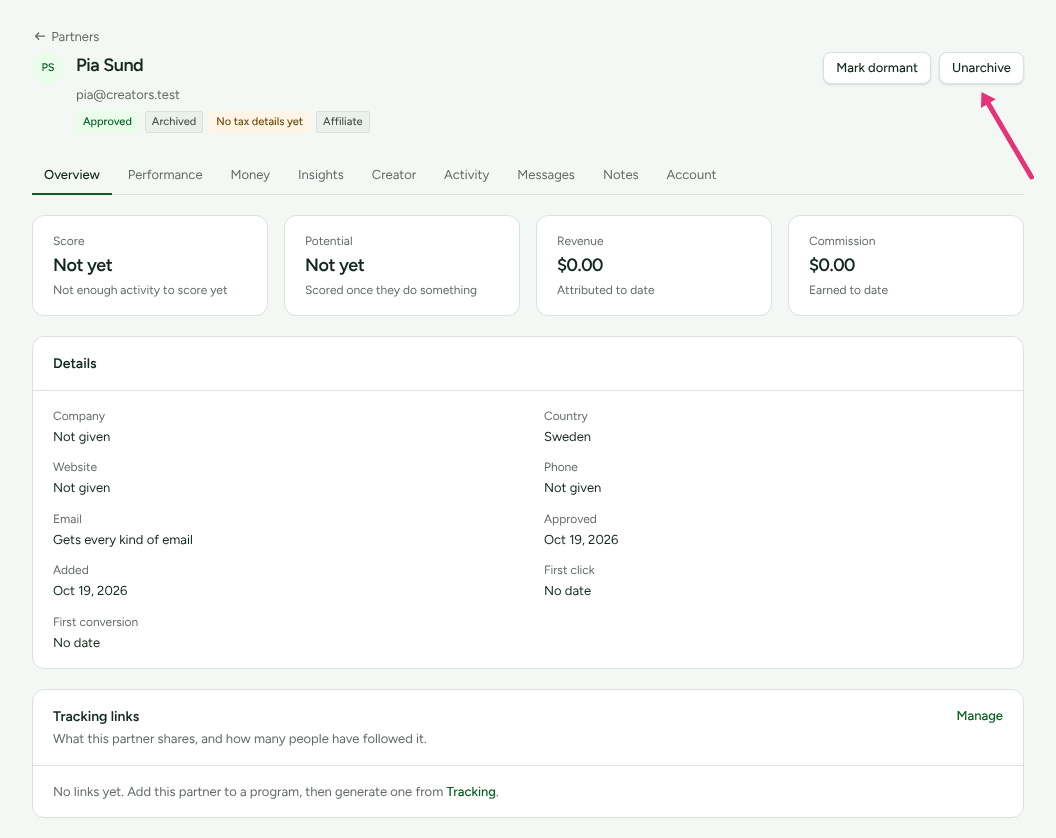
They are back in your lists and earn again from that moment. If your plan has a partner limit and you are at it, Unarchive is refused with "Your plan allows N partners."
End their access to the portal
Use this when a partner should no longer see your program from the inside, for example while you sort out a dispute, but you still want their sales.
- Open the partner's page and choose Account.
- In Partner portal, press End their access.
- Read the box, End their access to your portal?, and press End their access again to confirm, or Keep it.
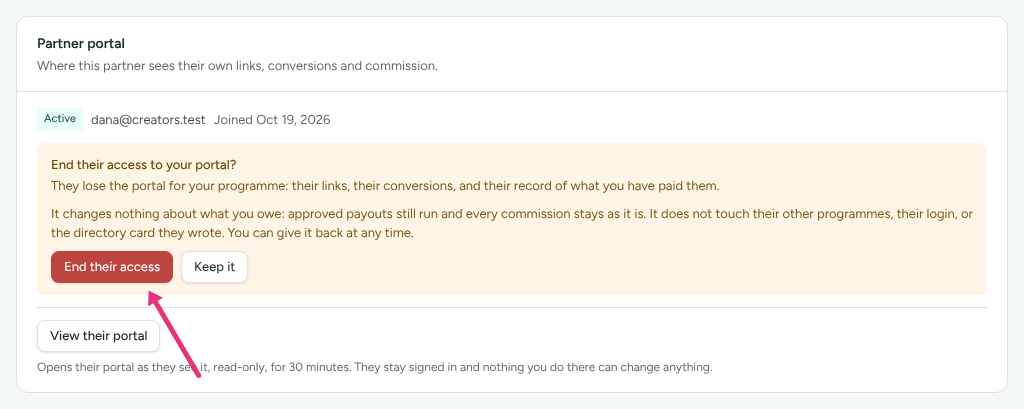
The box says what it costs them: "They lose the portal for your programme: their links, their conversions, and their record of what you have paid them." And what it does not do: "It changes nothing about what you owe: approved payouts still run and every commission stays as it is. It does not touch their other programmes, their login, or the directory card they wrote."
Afterwards:
- The card's badge reads Ended, with "They cannot open your portal. What you owe them is unchanged, and their other programmes are unaffected."
- Any invitation link you sent them stops working.
- They are emailed "Your access to the <your company> partner portal has ended", which tells them commission already earned is still theirs and any approved payout will still reach them. This email is sent even to partners who opted out of program email.
- Their links and codes keep working and earning.
To restore it, press Give it back. They are emailed a new invitation, and sign in with their existing password when they open it.
Check it worked
- Suspend: the program's Partners in this program row reads Suspended.
- Archive: the partner's page shows Archived, and they appear under the Archived filter on Partners.
- End their access: the Partner portal card, in Account, reads Ended.
- Settings › Developer › History records each one, and each undo, with who did it.
What this does not do
- None of the three reverses, rejects or claws back commission. To change a commission, see Approve commissions.
- None removes their discount code from your store. A customer can still use it and get the discount; the sale credits nobody while they are suspended or archived.
- Suspending works per program. A partner in three programs is suspended in each one separately.
- No automation can suspend or archive a partner. A person always does it.
- Rejecting is not offered for an approved partner; these three are the controls for someone already in.
Related
- Review partner applications: rejecting an applicant, and putting them back in the queue.
- Invite partners: the portal invitation that Give it back sends again.
- Retention, erasure and closing: when a partner asks to be erased rather than stopped. Erasure starts from read how erasure works at the foot of the partner's Account section.
- Read History: finding who suspended or archived someone.