Turn off program emails
Stop a merchant's reminders, newsletters or notes, all at once or one kind at a time. Emails about your money and your account keep arriving whatever you choose. For any partner.
Your portal may use the merchant's own words for partner, commission, payout, referral and reward.
Before you start
- Your choices belong to one merchant. Turning email off for one merchant changes nothing for another. Switch merchant at the top of the portal first.
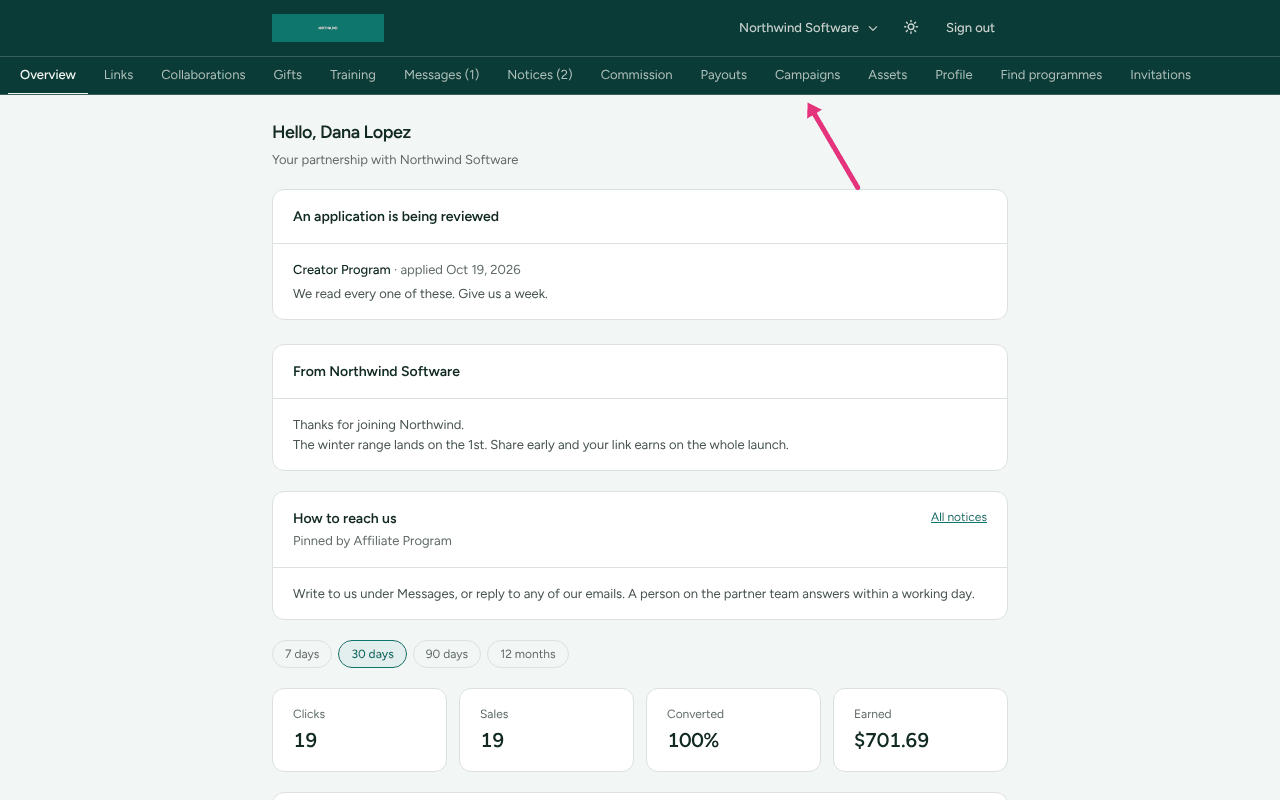
- Where: Campaigns in your portal, on the Email preferences card.
Campaigns is in the menu for affiliates; anybody else can open it at
/portal/campaigns. If the merchant leaves Campaigns out of your portal, the page says "Merchant does not use Campaigns in your portal." Use the link in an email instead (below).
Turn everything off from an email
Every program email that is not about your money or your account has a link at the bottom to stop them.
- Open the link at the bottom of the email.
- The page says "You're unsubscribed": "You won't get any more programme updates from us."
Some mail apps show their own Unsubscribe button for the same thing; it does the same. A link at the bottom of a newsletter turns off newsletters only: "No more newsletters".
Turn everything off in the portal
- Open Campaigns.
- Find Email preferences: "You'll always hear about money: commission you earn and payouts we send. This is everything else."
- Beside "Programme updates are on", press Turn them off.
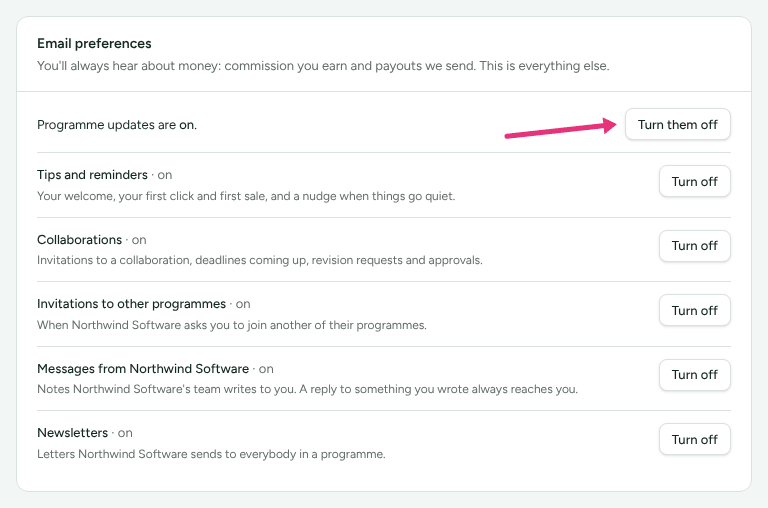
Every kind below then reads "off while programme updates are off". Turn them on brings them back, each as you had it.
Turn off one kind
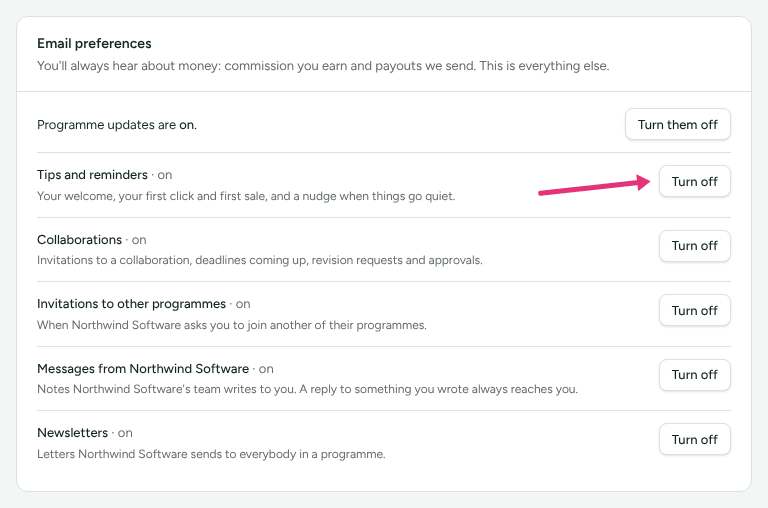
- On Email preferences, find the kind.
- Press Turn off beside it. It then reads "· off".
| Kind | What turning it off stops |
|---|---|
| Tips and reminders | "Your welcome, your first click and first sale, and a nudge when things go quiet." |
| Collaborations | "Invitations to a collaboration, deadlines coming up, revision requests and approvals." Only shown to creators |
| Invitations to other programmes | "When Merchant asks you to join another of their programmes." |
| Messages from Merchant | "Notes Merchant's team writes to you. A reply to something you wrote always reaches you." |
| Newsletters | "Letters Merchant sends to everybody in a programme." |
With Messages from Merchant off, anything the merchant writes still waits for you under Messages in the portal.
What still arrives
Nothing on this page stops these:
- Commission earned, Commission reversed and Payout sent, when the merchant sends them. They go to the finance contact the merchant has for you, where there is one.
- Portal access ended, and How a programme pays changed.
- Answers to a query you raised.
- Account emails: your invitation, a password reset, a new sign-in address, a warning that your payout details changed, or that somebody is guessing your two-step code.
A merchant can switch any of their emails off for everybody. That is their choice, not yours, and this page cannot turn one back on.
Check it worked
- On Email preferences, the line reads "Programme updates are off", or the kind reads "· off".
- The merchant is shown your choice, not asked to approve it: their page for you reads "Turned off: Tips and reminders", or "Turned off everything but emails about their money".
What this does not do
- It does not stop emails about money you earned, payouts, or your account.
- It does not reach your other merchants. Each has its own switches.
- It does not delete anything. What the program sent you stays listed under What we've sent you on Campaigns.
- The unsubscribe page's Change this in your portal opens the sign-in page. After signing in, go to Campaigns.
Related
- Get started in your partner portal: switching between merchants.
- Your data and account history: what the merchant keeps about you, and where your details are sent.
- Partner emails are not arriving: for the merchant, when a partner says they hear nothing.