Your data and account history
Read what has happened to your account with a merchant, download everything that merchant keeps about you, and ask for your data to be erased. For any partner.
Your portal may use the merchant's own words for partner, commission, payout, referral and reward.
Before you start
- Where: Profile › Your data, the last of the profile's four sections: Account history, Your data and Erasing your data.
- One merchant at a time. The history and the download are for the merchant you are looking at. Each merchant you work with keeps its own records; switch merchant at the top of the portal for another's.
Read your account history
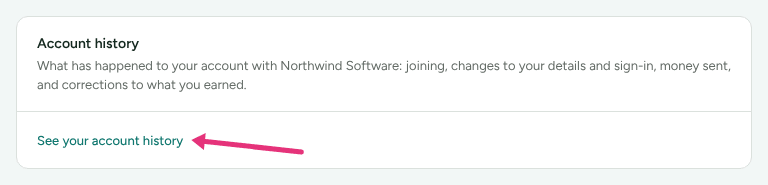
- On Profile, choose Your data, and find Account history: "What has happened to your account with Merchant: joining, changes to your details and sign-in, money sent, and corrections to what you earned."
- Press See your account history.
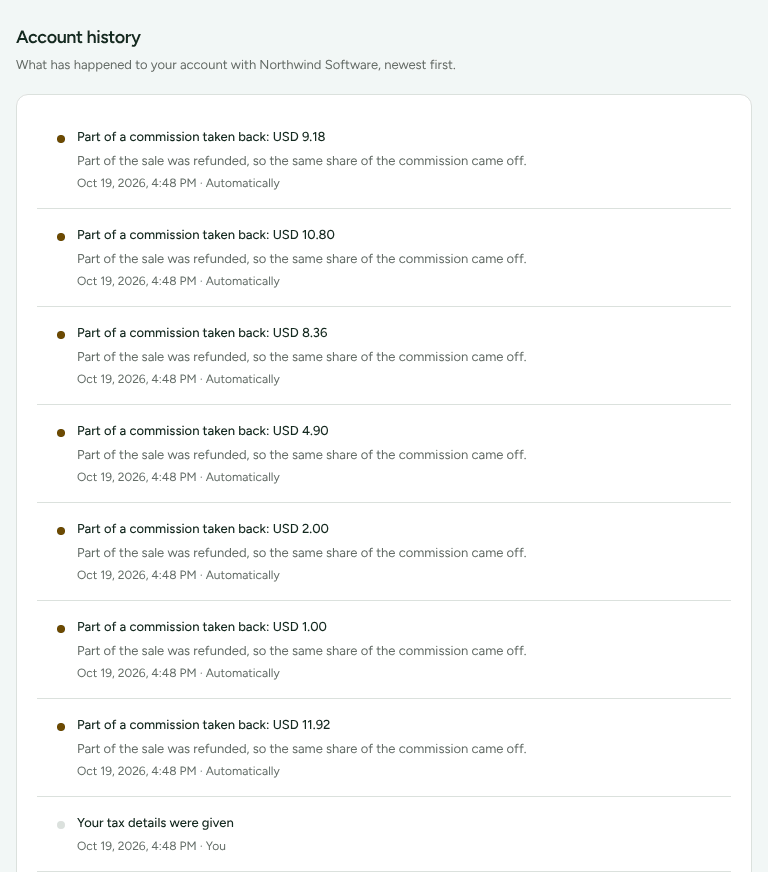
The page lists the latest 100 events, newest first, each with when it happened and who did it. Who is never a person's name:
| Who | Means |
|---|---|
| You | You did it |
| Merchant | Somebody at the merchant |
| Automatically | Refficks did it without a person, such as a refund the merchant's store reported taking commission back |
| Refficks support | Refficks staff |
| Refficks support, signed in as you | Refficks staff helping you from your account |
What it lists:
- joining: "You applied to …", "You joined …", "You were accepted into …", a tier change, or "You were removed from …";
- corrections to money: "Commission of … cancelled", "Part of a commission taken back: …", "Commission recalculated: … more" or "… less", "Commission of … not approved", "A cancelled commission was restored: …", "You were given a bonus of …", and a commission added late for an earlier sale;
- money sent: "Payout of … sent", "… did not reach you", "… came back from your bank", "… called off before it was sent";
- your account: "Your profile was updated", "Your payout details were changed", "Your tax details were given", "An agreement was accepted", "Your sign-in email address was changed", two-step sign-in turned on or off, new recovery codes, and "Your data was downloaded".
Approvals are left out: the Commission page already says what is approved. A merchant's own notes and reasons are never shown here.
Download your data
- On Profile › Your data, find the Your data card: "Download everything Merchant keeps about you through Refficks, as one file."
- Press Download my data. A JSON file named after the merchant and the day downloads.
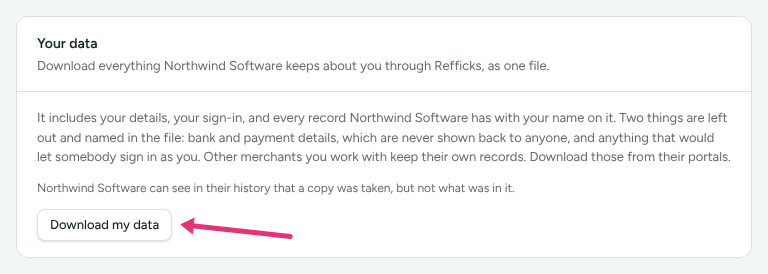
The file holds your details, your sign-in, and every record the merchant has with your name on it. Two things are left out and named in the file: bank and payment details, "which are never shown back to anyone", and anything that would let somebody sign in as you.
"Merchant can see in their history that a copy was taken, but not what was in it." Only you can take the file: a merchant looking at your portal, and Refficks support helping from your account, cannot.
If the merchant sends your details to an email tool such as Klaviyo or Mailchimp, the card lists it under Sent to Merchant's email tools, with a link to Your email choices.
Ask for your data to be erased
Erasing your data, at the foot of Profile › Your data, says: "Your account reaches across every merchant you work with, so removing it is not something any one of them can do for you. Write to us and we will take you through it, including what each merchant keeps afterwards."
- Write to support@refficks.com from the address you sign in with.
- Say whether you mean your whole account, or what one merchant keeps.
"What you earned stays either way. Those are the merchants' financial records as much as yours, and they keep them without your name attached." A merchant can also erase their own record of you, on your request; a W-9 you gave them is kept for their 1099 filing.
Check it worked
- Account history shows a line for each change you made, with You beside it.
- After a download, the history lists "Your data was downloaded".
What this does not do
- The history and the download cover one merchant. Other merchants' records are in their portals.
- There is no button to delete your own account. Erasing goes through support.
- Commission and payout records are not deleted by an erasure. They stay, without your name.
Related
- Understand your earnings: the lines the money corrections refer to.
- Turn off program emails: choose what the merchant may email you.
- Add payout and tax details: why your bank details are not in the file.