Raise a query about a missing sale or a wrong commission
Tell the merchant that a sale you made is not in your portal, or that a commission is not what you expected, and read their answer in the same place. For any partner who earns commission.
Your portal may use the merchant's own words for partner, commission, payout, referral and reward. The button A commission looks wrong, for example, uses their word for commission.
Availability: Built on
mainafter the last deployment of app.refficks.com that this article was checked against. If you do not see Something not right? on your Commission page, the merchant's portal does not have it yet.
Before you start
- Where: Commission in your menu. The card is called Something not right?.
- You need, for a missing sale: the order number, or the day of the sale. The amount helps if you know it.
- You need, for a wrong commission: the line in your ledger you think is wrong.
- Raising a query changes no money. "If they agree, they credit the sale or correct the commission, and tell you here."
Report a missing sale
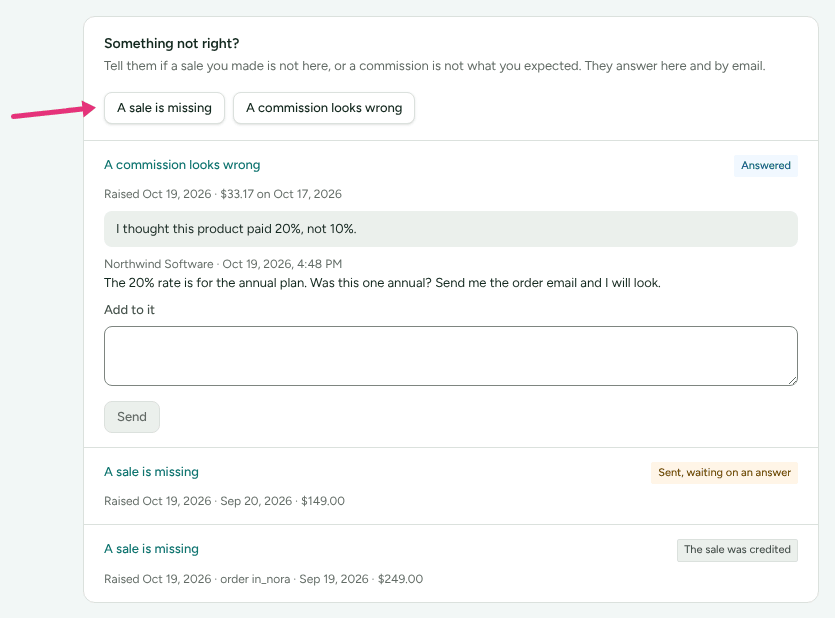
- Open Commission. The page is headed Your commission.
- Under Something not right?, press A sale is missing.
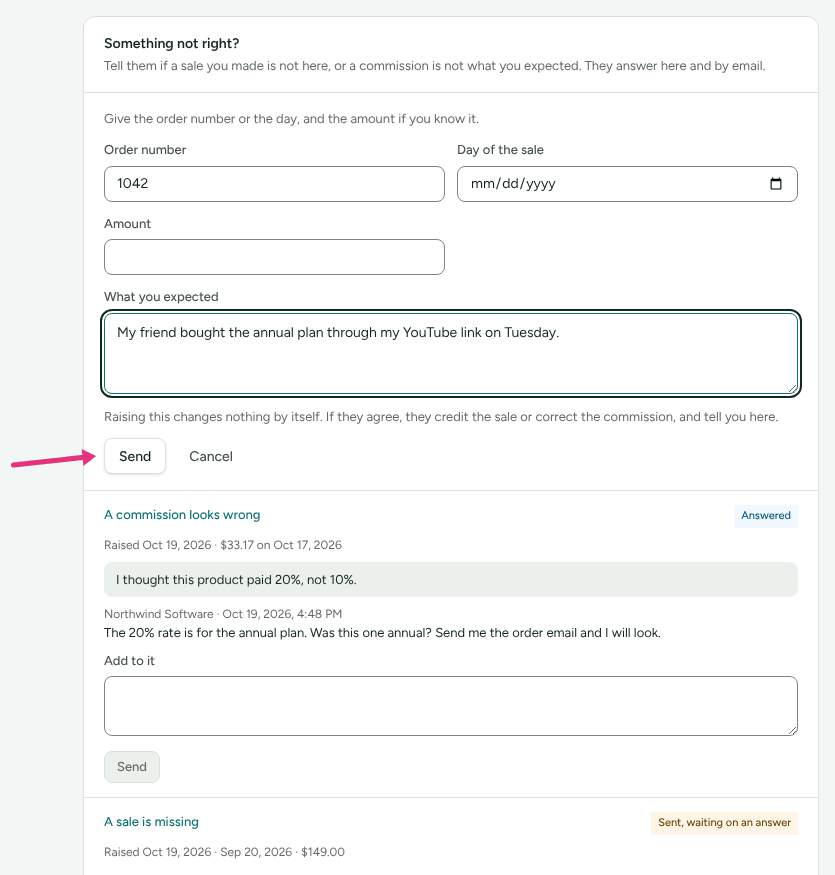
- Fill in Order number, Day of the sale, or both. At least one is needed so the merchant can find it.
- Optional: fill in Amount, what the customer paid. If you earn in more than one currency, choose the Currency too.
- Under What you expected, say what happened, for example: "My friend bought the annual plan through my YouTube link on Tuesday, on her laptop."
- Press Send.
Report a commission that looks wrong
Open Commission.
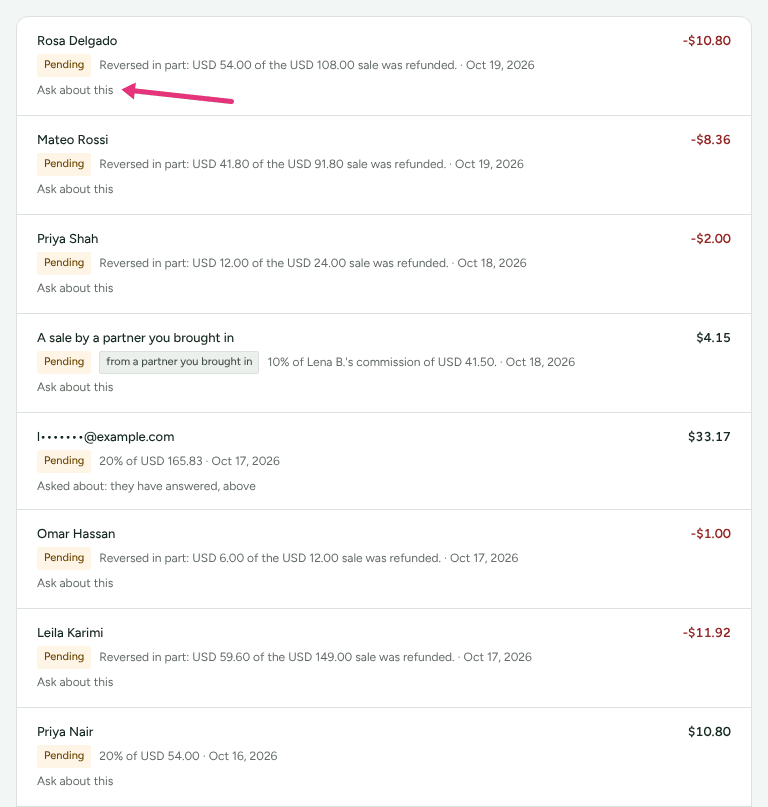
Find the line in your ledger and press Ask about this under it. The form opens with that line chosen.
Or, under Something not right?, press A commission looks wrong and choose the line in Which commission. Each line reads amount, what it was for, and the date.
- Under What you expected, say what you think it should be and why, for example: "This product pays 20%, not 10%."
- Press Send.
What to include
The merchant sees what you type and what you gave, nothing more. The things that help them find a sale fastest:
- the order number exactly as the customer's confirmation shows it (a leading
#does not matter); - the day of the sale, and the amount paid, with its currency;
- which of your links or codes the customer used, and anything unusual: a different device, a long gap between the click and the purchase.
Never include a customer's card or bank details, or your own payout details.
What happens next
Your query is listed under Something not right? as Sent, waiting on an answer. The merchant's team sees it in their queue straight away.
The merchant can:
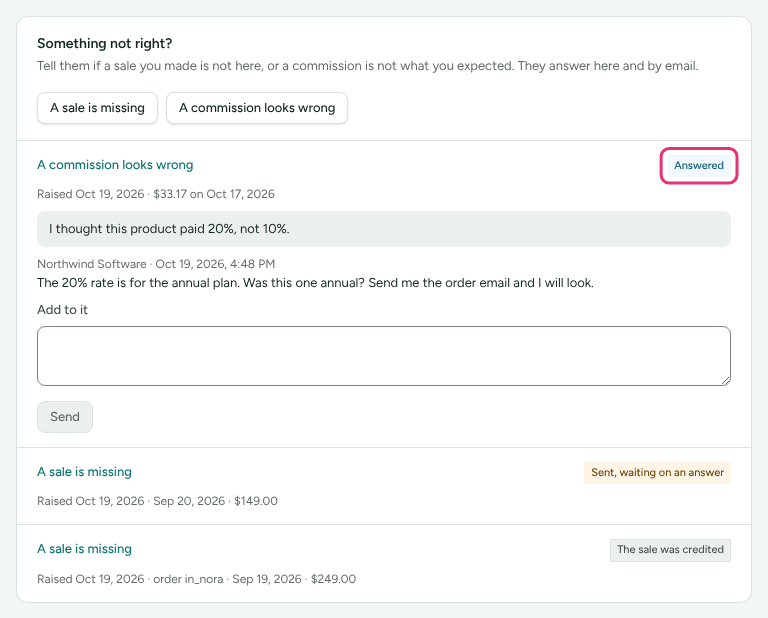
- Answer without settling it, for example to ask for the order email. You get an email from them, and the query shows Answered and opens by itself so you can read it. To reply, type under Add to it and press Send. It goes back to Sent, waiting on an answer.
- Resolve it with an outcome and their reasons. You get an email, and the query shows the outcome: The sale was credited, The figure was corrected or No change.
Replies appear under the merchant's name, not a member of their team. The emails are sent whatever your email settings, because they answer your own question.
A resolved query takes no more replies: "If you still think something is wrong, raise it again."
Check it worked
Under Something not right? your query is listed with Sent, waiting on an answer and a line like "Raised Oct 16, 2026 · Sep 17, 2026 · $149.00": when you raised it, then whichever of the order number, the day and the amount you gave. A ledger line you asked about says "Asked about: waiting on an answer" instead of Ask about this.
If it is refused
| Message | What to do |
|---|---|
| "Give the order number or the day of the sale, so they can find it." | Fill in at least one of them |
| "That day has not happened yet." | Check the date |
| "Give the amount with its currency, or leave it out." | Choose the currency, or clear the amount |
| "You already raised this one, and it is waiting on an answer. Add anything new to it there." | Open your earlier query and use Add to it |
| "This one is closed. If you still think something is wrong, raise it again." | Raise a new query |
What this does not do
- It does not change your commission or credit a sale. Only the merchant can, on their own screens, and then they tell you here.
- It does not promise an answer by a date. How quickly the merchant answers is up to them.
- Which commission lists the lines shown on the page: the latest 100 for the Period you have chosen.
- One line in your ledger can have one open query at a time.
- Queries are not in Messages. They stay on Commission.
Related
- Understand your earnings: what each line and status means before you ask about one.
- Get your links and codes: codes credit you even when a click was not recorded.
- When you get paid: if the sale is there but the money has not reached you.
- How attribution works: written for merchants, but it is the full rule for why a sale may have gone to nobody, or to someone else.