A partner cannot sign in to the portal
For partners who cannot get into their portal, and for merchants helping them. Most often the partner is on the wrong sign-in page, or never finished setting up from the invitation.
Partners: your portal may use the merchant's own words for partner, commission, payout, referral and reward, and may run on the merchant's own address with the merchant's name rather than Refficks's.
Check this first
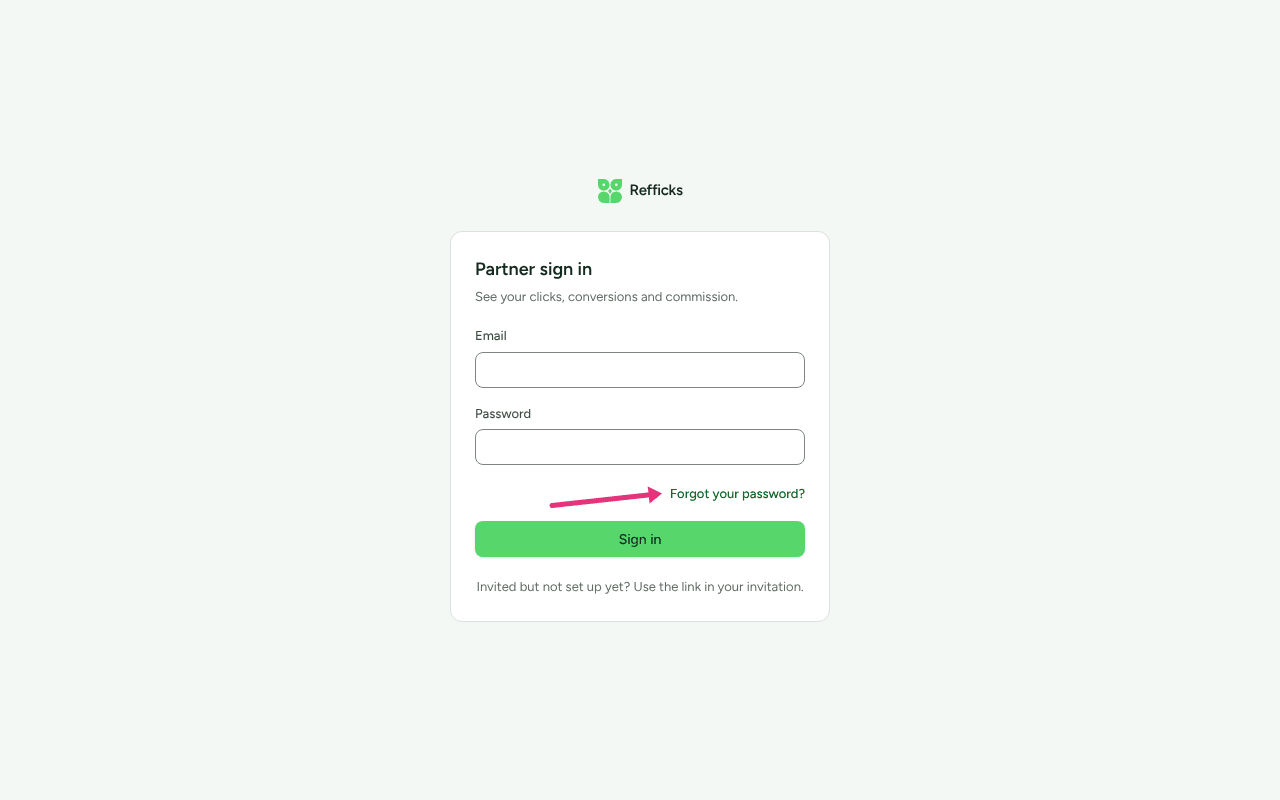
- Is it the partner sign-in? It is
/portal/login, headed Partner sign in onapp.refficks.com, or "Sign in to Merchant's partner portal" on the merchant's own address.app.refficks.com/loginis the merchant team's sign-in, and a partner's password does not work there. - Was the invitation ever accepted? Until the partner opens the invitation link and sets a password, there is no password to sign in with, and Forgot your password? sends nothing. The sign-in page says so: "Invited but not set up yet? Use the link in your invitation."
Likely causes
| What you see | Likely cause | Fix |
|---|---|---|
| "Those credentials do not match our records." | Wrong email or password; the merchant team's sign-in page; or the invitation was never accepted | Reset the password, or accept the invitation |
| "Too many requests. Wait a minute before trying again." | More than five attempts in a minute from one internet connection, counting sign-ins, invitations and password resets together | Wait a minute |
| "Too many attempts on this account. Try again in … minutes." | Ten wrong passwords for this address, or ten wrong two-step codes for this login, in 15 minutes, from anywhere | Wait the minutes it says. If it was not you, see Somebody else is trying |
| "None of your partner programmes are active right now." | Every merchant this login works with has ended its access | Ask for access back |
| "This portal account is not active." | Refficks has stopped this login | Contact support |
| "This is Merchant's partner portal, and this account is not one of their partners." | Right password, wrong merchant's address | Use the right address |
| That link is no longer valid on the invitation page | The invitation was already used, replaced by a newer one, more than 14 days old, or the merchant ended access | Accept the invitation |
| "That password did not work. If this is your first Refficks login…" | On an invitation: the password is not your existing one, or a new one is too short | Accept the invitation |
| "That reset link is no longer valid. Ask for a new one." | The reset link was used, replaced, or is over an hour old | Reset the password |
| "That code is not right." or "Too many attempts. Enter your email and password again." | Two-step sign-in code | Two-step sign-in |
| "You were looking at a partner's portal from your dashboard…" or "A Refficks support session stays where it was opened…" | A merchant's View their portal, or a support session, was open in this browser. Neither signs anybody in | Sign in with your own email and password |
| Signed in, but only Application under review | The merchant has not approved the application yet | Nothing is wrong. Wait for the merchant |
| Signed in on the merchant's address, then signed out later | Sessions there end when the browser closes, and signing out on app.refficks.com signs you out there too |
Sign in again |
Diagnose it step by step
- Note the exact message on screen, and the address in the browser's address bar.
- If the address ends
/loginbut not/portal/login, go to/portal/login. If it is/portalon its own, the page says "We couldn't find that page": press Back to your portal, which opens the sign-in when you are signed out. - If the page says the account is not one of Merchant's partners, you are on a merchant's own address with a login they do not know. Go to Use the right address.
- If you never set a password, find the invitation email. Its subject is "Your Merchant partner portal". If it is more than 14 days old, ask the merchant for a new one.
- Otherwise, reset the password. If no reset email arrives, check the spam folder, then the cause table: the login was never set up, every merchant has ended its access, or Refficks has stopped it.
Fixes
Reset the password
- On the partner sign-in, press Forgot your password?.
- Enter your Email and press Send the link.
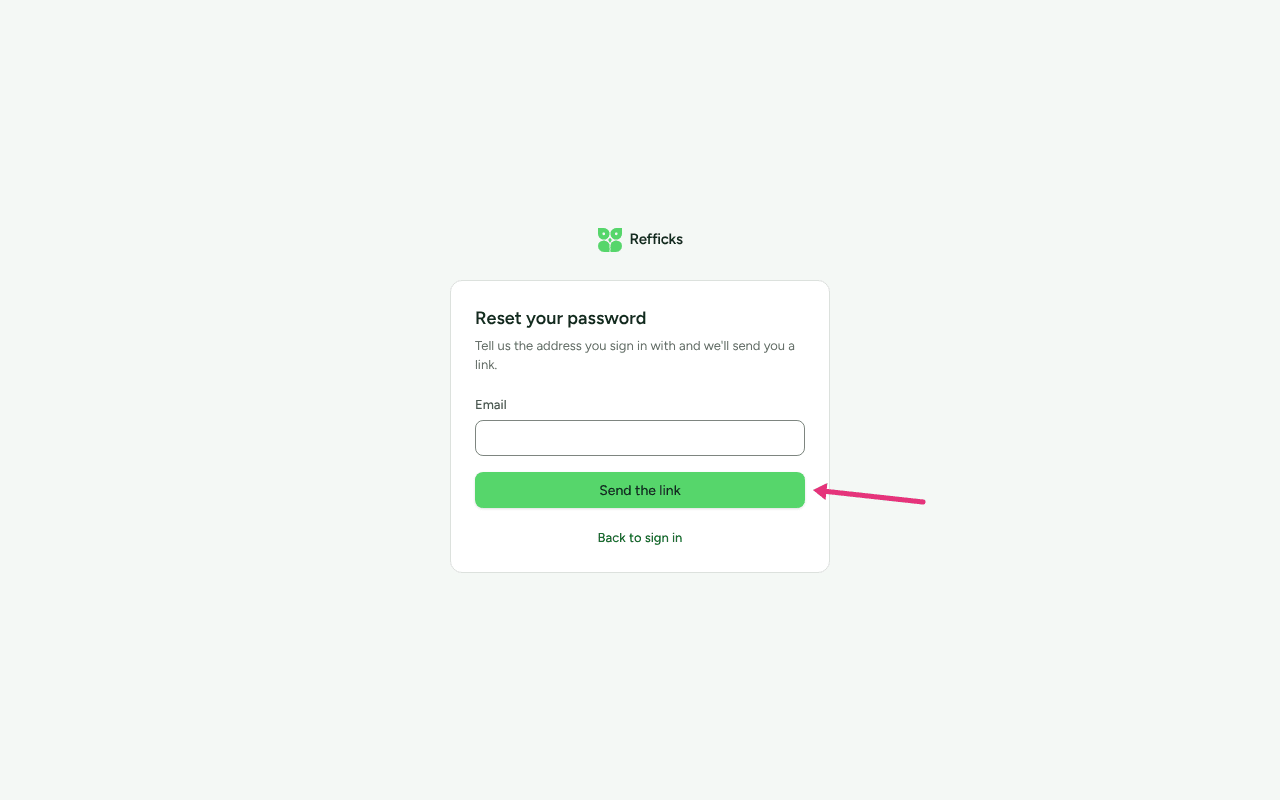
- Open the email. The link works once and stops working after an hour.
- Enter the password twice, in New password and New password again: at least 12 characters, with letters and numbers.
- Press Set the password and sign in.
One password covers every merchant you work with, so one reset is enough.
The page always says "If address has a portal account, a link to set a new password is on its way", whatever the address. No email arrives when the address has no login, when its invitation was never accepted, when every merchant has ended its access, or when Refficks has stopped it. Asking twice within a minute sends no second email; each new link replaces the last.
If you use two-step sign-in, the page sends you back to sign-in after the password is set. Sign in with the new password and your code.
Accept the invitation
- Open the newest invitation email. An older link stops working when a newer one is sent, and every link stops working 14 days after it was sent.
- Enter a password: your existing Refficks partner password if you already work with another merchant, or a new one (at least 12 characters, letters and numbers) if this is your first.
- Press Open my portal.
Or press Sign in first, sign in, and press Confirm and join.
If the link is no longer valid, ask the merchant to send a new invitation. If you had already accepted it, you do not need it: sign in.
If you use two-step sign-in, the invitation is accepted and you land on the sign-in page. Sign in with your password and code.
Use the right address
The merchant's own address only lets in that merchant's partners. Either:
- sign in there with the email you use with that merchant; or
- sign in at
app.refficks.com/portal/login, where every merchant you work with is reachable.
On a merchant's address, Continue with your Refficks sign-in carries a
sign-in from app.refficks.com across in one click. If it says "That sign-in
link had already been used or had run out", press it again.
Two-step sign-in
- The six-digit code comes from your authenticator app. Enter the one it shows now, not an earlier one.
- Lost the phone: enter one of your recovery codes in the same Code box. Each works once.
- "That sign-in has expired" or "Too many attempts": enter your email and password again for a new attempt.
Not yet documented: There is no screen in Refficks for removing a partner's two-step sign-in for them. A partner without their phone or a recovery code should write to support@refficks.com. See Turn on two-step sign-in.
Somebody else is trying
After ten wrong two-step codes in 15 minutes, the login's own address is emailed: "Somebody signed in to your Refficks account with your password, then got the code from your authenticator app wrong ten times in fifteen minutes." Their second step kept them out, but they have the password. Reset it at once (see Reset the password).
Ask for access back
The partner cannot fix this. The merchant who ended access gives it back (see below), and the partner accepts the new invitation with their existing password.
Lost the mailbox the login uses
The partner cannot change their sign-in email, and neither can the merchant: one login spans every merchant the partner works with. Refficks support can move it. Write to support@refficks.com. Support emails a link to the new address, and tells the old address too. The link opens Confirm your new address: press Use new address. It works for 48 hours, and the password does not change.
(The partner's Profile › Details says to ask the program to change it. Programs cannot; write to support.)
If you are the merchant
On Partners, open the partner and choose Account. The Partner portal card shows where they stand:
| Badge | Meaning | What you can do |
|---|---|---|
| Invited | They have not accepted yet | Re-invite sends a new link to their address and stops the old one working |
| Active | They have a login with you | Nothing to send: they sign in, or reset their own password. View their portal opens it read-only for 30 minutes |
| Ended | You ended their access | Give it back sends a new invitation |
| none: "No portal access yet." | Never invited | Invite to portal |
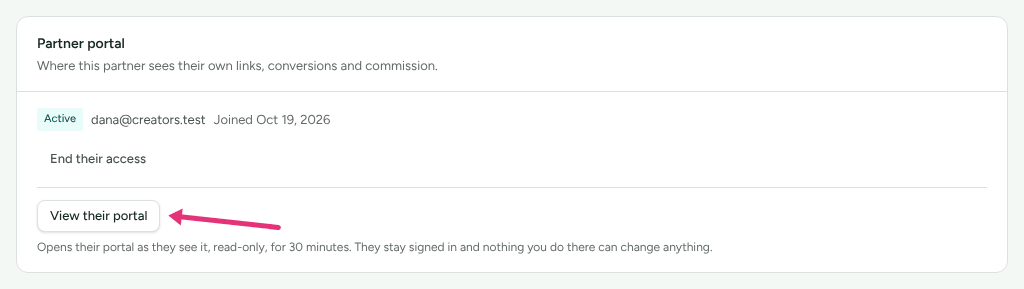
You need owner, admin or manager to use these buttons.
The invitation goes only to the partner's own address, and the link is never shown to you: whoever holds it could choose the partner's password. If the card says We could not send the invitation, check Settings › Partners and payouts › Emails for the reason (the card calls it Settings → Emails), put it right, and press Re-invite.
You cannot set or see a partner's password, change their sign-in email, turn off their two-step sign-in, or see their payout details. Suspending or archiving a partner does not stop them signing in; End their access does.
When to contact support
Write to support@refficks.com if the screen says "This portal account is not active.", if a partner has lost their phone and their recovery codes, if a partner has lost the mailbox their login uses, or if none of the fixes above work. Include:
- the email address of the login;
- the merchant's name, and the address in the browser's address bar;
- the exact message on screen, and when it happened.
Never send a password, a recovery code, a secret key or payout details. Support does not need them and will not ask for them.
Related
- Get started in your partner portal: signing in for the first time.
- Turn on two-step sign-in: recovery codes, and what a lost phone means.
- Invitation or application problems: an invitation that never arrived.
- Team roles and permissions: who can invite partners and end their access.