Import partners from a spreadsheet
Add many partners at once from a CSV file, or from LeadDyno's affiliates export, without retyping them. For merchants with a list of people they already work with. Refficks reads the file back to you before anything is created.
To move a whole program from another platform, with its commissions, codes and a period of running side by side, use Import and export › From another platform instead: see Move your program from another platform.
Before you start
- Role: Owner, Admin or Manager. Anyone on the team can see past imports.
- You need: a CSV file of up to 5 MB with a header row and an email column. Save a spreadsheet as CSV first; other formats are not read.
- Know this first: every partner this creates is approved and emailed an invitation to your partner portal straight away, exactly as if you had added each one by hand. If you do not want them emailed yet, do not import them yet.
Prepare the file
Refficks recognises columns by their heading, ignoring case, spaces and punctuation, so "Email", "E-Mail Address" and "email_address" all count.
| What it becomes | Headings it recognises |
|---|---|
| Email (required) | email, email address, contact email, partner email, affiliate email |
| First name | first name, firstname, given name |
| Last name | last name, lastname, surname, family name |
| Name, split at the first space | name, full name, partner, affiliate |
| Company | company, company name, business, organisation, organization |
| Country | country, country code |
| Website | website, site, url, web site |
| Tags | tags, labels, groups (several in one cell, separated by commas, semicolons or ` |
Other columns are ignored. A file with one column of addresses is a valid partner list.
- Country must be a two-letter code, such as
GBfor the United Kingdom. A country name, orUK, is left blank. - Blank lines are skipped. Line numbers in Refficks's report count every line of the file, so they match what you see when you open it.
Steps
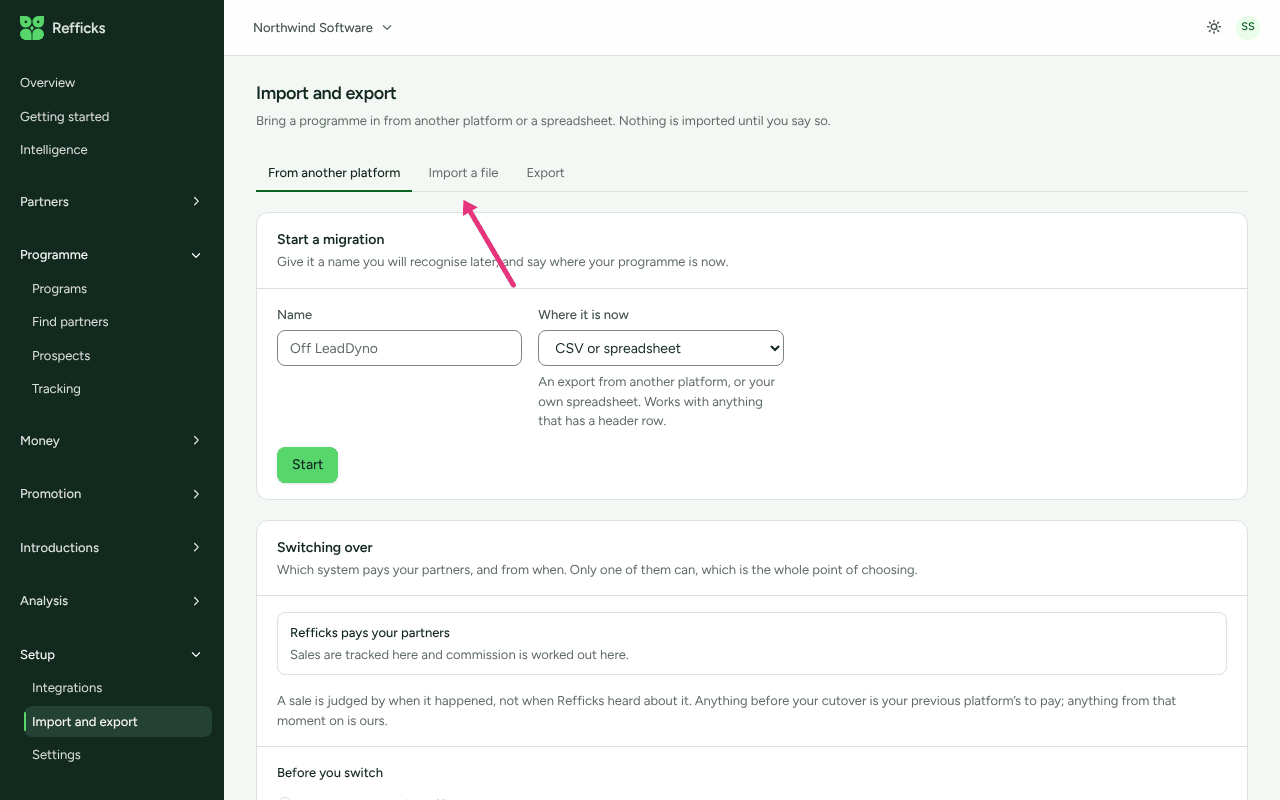
- Go to Import and export › Import a file. The menu's Import and export opens on From another platform, so press the Import a file tab.
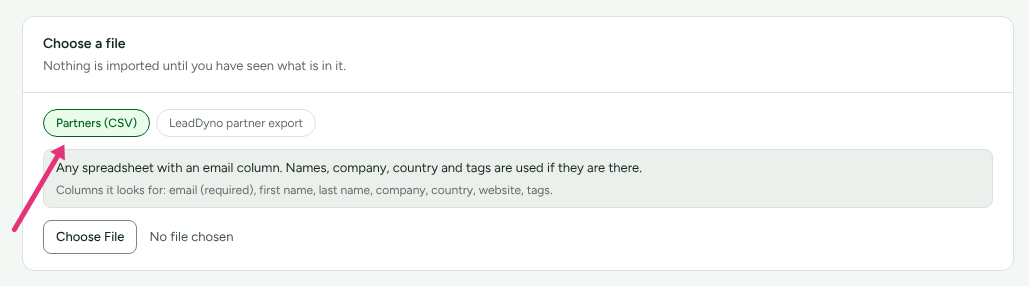
- In the Choose a file card, choose Partners (CSV) for any spreadsheet, or LeadDyno partner export for the affiliates file downloaded from LeadDyno. The line under it lists the columns it looks for.
- Choose your file. Refficks reads it at once ("Reading the file…") and imports nothing.
- Read the What is in it card: "Checked, not imported. Nothing has
changed yet." It shows:
- how many rows the file has, how many can be imported, and how many cannot;
- the first five usable rows (Line, Email, Name, Company), so you can see the columns landed where you expected;
- each line that cannot be imported, and why (up to 50). See Rows refused in an import.
- Decide about partners you already have. Update partners already here is off by default: "An import is not a reason to lose a note somebody wrote last week." Leave it off to skip them, or tick it to fill in their details from the file (see Partners already here).
- Press Import N partners. N is the number of rows that can be imported.
The import runs in the background. Imports so far shows it as Waiting, then Importing, then Done, and the page updates by itself.
The LeadDyno export
Choose LeadDyno partner export and upload the affiliates file as it downloads; its column names are recognised as they come. It reads the same details as any CSV, plus LeadDyno's affiliate code, lifetime commissions, commissions paid, leads, purchases and joining date.
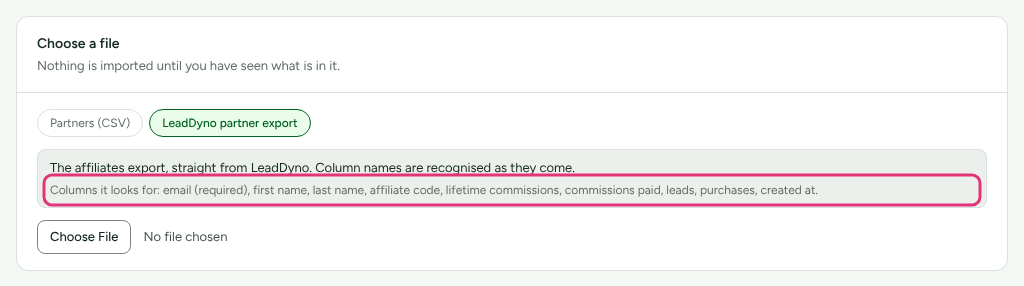
Those figures are kept on the partner as "Reported by LeadDyno. Not part of the Refficks ledger." They are context only: no commission is created from them, and the partner's earnings in Refficks start from the first sale Refficks sees. To bring money still owed across, use Import and export › From another platform, which turns it into opening balances you approve.
What imported partners get
Each partner the import creates:
- is Approved and recorded as coming from an import;
- is enrolled in your program, with a tracking link and a discount code, if your workspace has exactly one program that is not archived. With two or more, they are in none until you enrol them (see Invite partners);
- gets the tags in the file;
- is emailed an invitation to your partner portal;
- starts any automation you have on Partner approved, such as a welcome email (see Send approved partners a welcome email).
Partners already here
A row whose email already belongs to a partner in your workspace never makes a second partner.
- With Update partners already here off, the row is skipped: "Already a partner here. Nothing was changed."
- With it on, the names, company, country and website in the file replace what the partner has, and the file's tags replace their tags. A blank cell changes nothing. A row with nothing new reads "Nothing in this row that is not already on record."
Their email address is never changed by an import, and existing partners are not sent another invitation.
Importing the same file twice is safe: the second time, every row is a partner already here.
Check it worked
In Imports so far, the import reads Done with badges: N added, and where they apply N updated, N already here and N failed. Press Which rows? to see every row that did not go in, with its line, email and reason. Rows that were added are counted, not listed.
Then go to Partners: the new partners are in the list, newest first. Settings › Developer › History records the import with its counts.
What this does not do
- It does not import sales, commissions, payouts or codes. Use Import and export › From another platform for those.
- It does not ask before emailing invitations. A move from another platform does, and is silent unless you tick Invite these partners to your portal.
- It reads CSV only, up to 5 MB, with an email column.
- Only the 25 most recent imports are listed.
- If your plan has a partner limit, rows past it fail with "Your plan allows N partners." and the rest of the file still goes in. The trial and Alpha plans have no limit.
- The uploaded file is deleted once the import has run.
Related
- Rows refused in an import: every reason a row is refused, and the fix.
- Move your program from another platform: partners with their history and codes.
- Invite partners: the invitation every imported partner receives.
- Send approved partners a welcome email: what imported partners can be sent next.